
How to Publish Artifacts in Claude
Learn how to publish artifacts in Claude, create a public link, embed artifacts on websites, and manage access after publishing.
Claude Artifacts turn your ideas into apps, sites, and tools that live inside Claude. Once you've created an artifact, you can publish it and share it using a public link.
Publishing makes an artifact public. Anyone with the link can view and use it.
In this guide, you’ll learn how to publish an artifact in Claude.
Note: For Anthropic's official reference, see Publishing and sharing artifacts.
Publishing an Artifact
You can publish an artifact in Claude to create a public version that anyone with the link can access.
Use this method when you have already created an artifact and want to share it outside your Claude account.
-
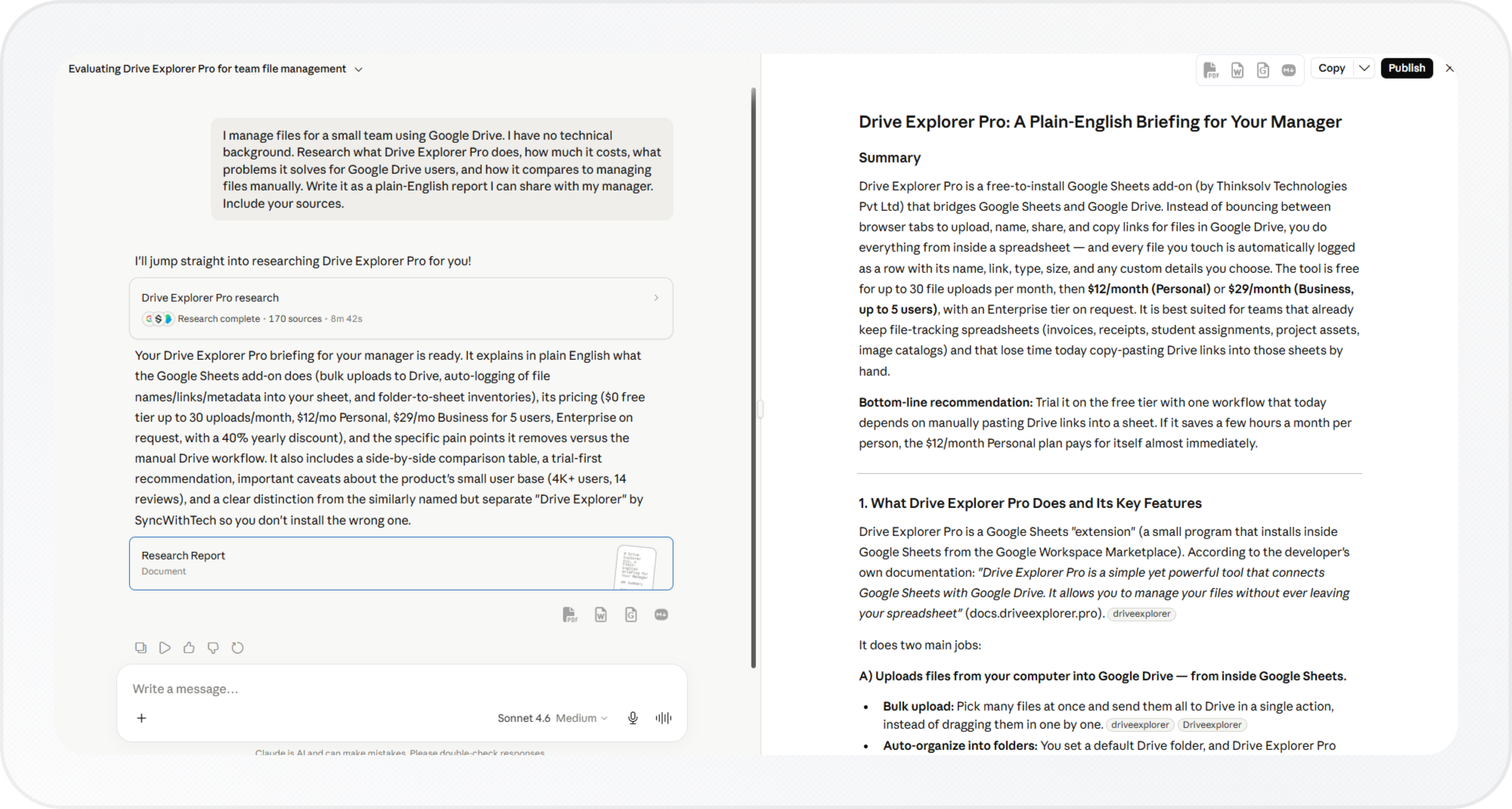
Open the conversation and select the artifact to open it in the artifact window.
-
Verify that you are viewing the correct artifact version.
Claude publishes the version that is currently open. Before continuing, review the artifact carefully to make sure it contains the content you want to share.
-
Click Publish in the top right corner of the artifact.
-
Click Publish & copy link.
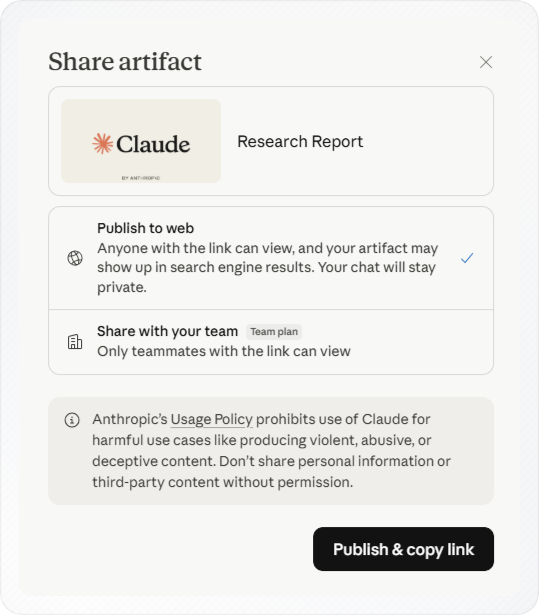
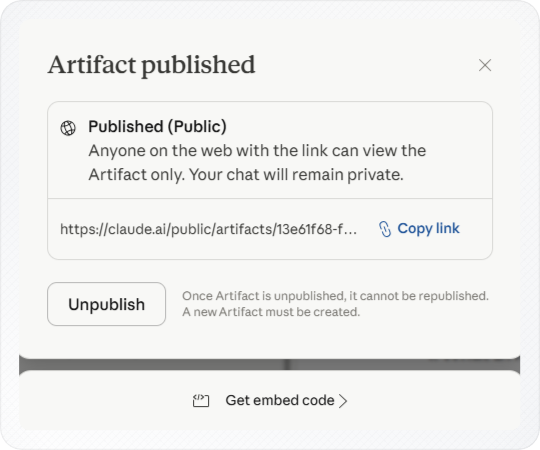
Your artifact is now live. Claude copies the link for you.
Claude creates a public page and gives you a unique link to share.
Note: Publishing an artifact does not make your Claude conversation public. Only the artifact is shared. Your prompts, files, and chat history stay private.
-
Share the copied link with anyone who needs access to the artifact.
Use published artifacts to share tools, dashboards, and prototypes with others.
You now have a public artifact link that can be shared with other people.
Understanding Published Artifacts
This section explains how published artifacts work. Use it to decide when to share, embed, or remove one.
Accessing Published Artifacts
Anyone with the published link can view and interact with the artifact.
Anyone can open the artifact without a Claude account. They can use it without signing in.
Claude will ask users to sign in if they want to customize it or use AI features.
Publishing only shares the artifact, not your chat. They can use the artifact, but they cannot see your chat or files.
Claude users can do more with published artifacts:
- Customize or remix them
- Save or duplicate ones they find
- Use AI-powered features when the artifact supports them
- Keep building on artifacts within their plan limits
Customizing Published Artifacts
Claude users see a Customize button on every published artifact.
When someone clicks Customize, Claude opens a new conversation with the artifact inside it.
That copy belongs to them. Their changes never touch your original.
Others can build on your work or try new ideas without changing your original.
Embedding Published Artifacts
Claude allows you to embed any published artifact on your website.
After publishing an artifact, click Get embed code.
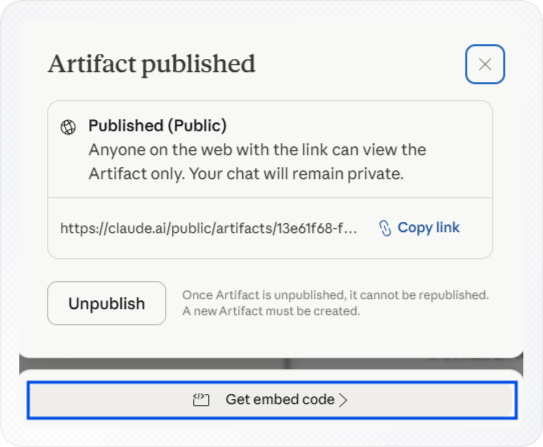
Claude generates an HTML iframe snippet that you can copy and paste into your website.
Some artifacts need you to set which websites can show them.
You can add multiple domains to the allowed list.
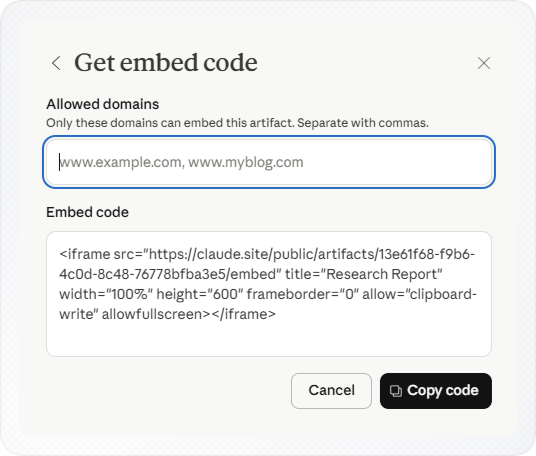
Only domains on the Allowed domains list can show the artifact. If a website is not included, the embed may not work on that domain.
If you'd rather keep the artifact private and just send it to one person, download it as a file instead of publishing.
Unpublishing Published Artifacts
Once you publish an artifact, an Unpublish option appears at the top of it.
Important: Once you unpublish, you cannot reverse it. If you need a public version later, you may need to create and publish a new artifact.
Click Unpublish when you want to remove public access.
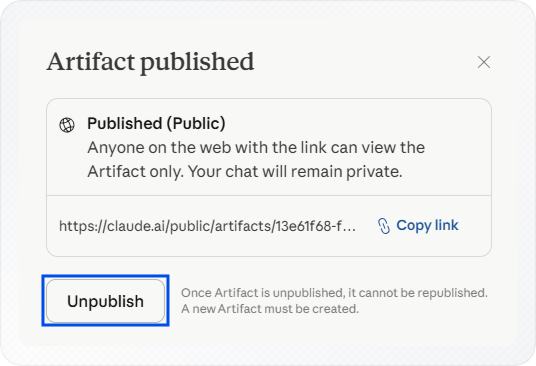
The public link stops working right away and visitors lose access.
If the artifact uses stored data, Claude deletes that data when you unpublish it.
To download an artifact instead of sharing it publicly, see how to download chat in Claude.
Conclusion
You can now publish any artifact and share it with a link, embed it on a website, or remove access when you no longer need it public.
Before you share, review the artifact one more time, once the link is live, anyone with it can open it right away.